

4.9
(150+ reviews)
Shopify Image Zoom
Let customers zoom in on what matters.
* Zoom and lightbox features are part of the GG Product Page Image Slider app
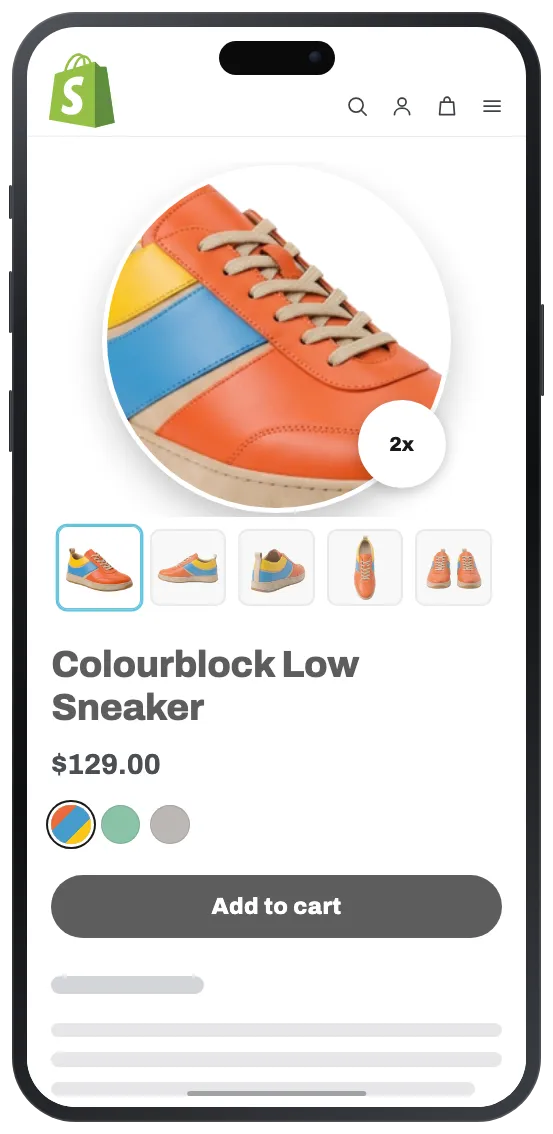
Magnifier Zoom
On Amazon, Etsy, and most large retailers, shoppers hover over a product photo and a magnified view appears. They don’t think about it as a feature. They just expect it to be there. Many Shopify themes don’t include it or it works poorly.

How It Works
Shopify product image zoom on hover works the way shoppers expect: move your cursor over any product image and a zoomed-in view appears at the cursor position. The magnifier tracks the cursor in real time, so shoppers can scan across the image to inspect fabric texture, stitching, labels, or fine print at full resolution.

Sharp Zoom, No Speed Penalty
Upload the largest product images you have — see our guide on Shopify product image size. The gallery optimizes them for normal browsing, and the full-resolution version only loads when a shopper actually triggers zoom. Bigger source images mean sharper zoom with no page speed cost. The magnifier works out of the box - if you need custom behavior, our support team handles adjustments on request.
Image Lightbox
Some products need a closer look than an inline magnifier allows. Jewelry with small engravings, electronics with port labels, artwork where color accuracy matters across the full frame. A Shopify image lightbox gives shoppers the room they need to view products in detail.

Fullscreen Gallery
Shopify click image to enlarge functionality opens a fullscreen overlay. Inside the lightbox, shoppers zoom in further, pan across the image, and navigate between all product photos using arrows or swipe gestures. No going back to the product page between images.
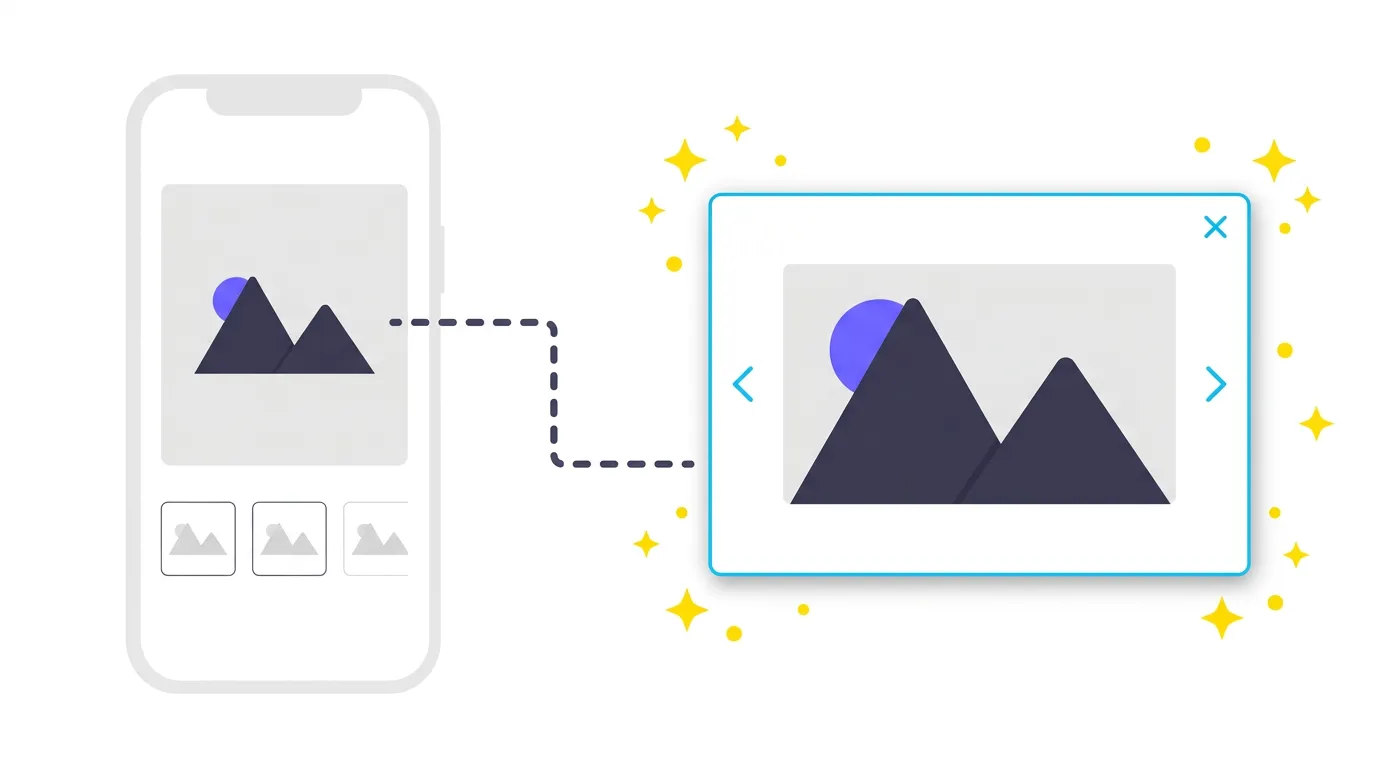
Built for Mobile
A tap opens the same Shopify fullscreen product image view with pinch-to-zoom. On mobile, the lightbox handles everything the magnifier does on desktop since there’s no cursor to hover with. The app configures this automatically. No separate setup for different devices.
How to Add Zoom to Your Product Images
Getting zoom running on your product pages takes a few minutes. No code changes, no theme file edits.
- Install the app: Add GG Product Page Image Slider from the Shopify App Store. It connects to your store in one click and works with the product images you already have.
- Enable zoom: Open the app settings and turn on the zoom feature.
- Preview: Check a live product page to see the magnifier and lightbox in action. Need something adjusted? Our support team handles customization requests.
What Merchants Are Saying
I was looking for a simple app that had zoom and gallery slider functionality and this app did the job!
Super simple to setup and works perfectly to show our products in a much more better way. We also love the slider on the zoom feature.
This app works great. It allowed us to make our PDP gallery mobile friendly (zoom, swipe, etc). The developers are great and helped edit our theme so it would fit/work perfectly. Highly recommend.
Finally an app that has some customizable zoom options. This is the perfect solution for the Dawn theme's weird lightbox issues, thanks so much.
* All reviews are verified and visible on the Shopify App Store.
Frequently Asked Questions
- How do I add a zoom effect to product images on Shopify?
- Install GG Product Page Image Slider from the Shopify App Store, then enable the zoom feature in the app settings. You can choose between a magnifier lens for hover zoom on desktop, a fullscreen lightbox for click-to-enlarge on any device, or both. The app works with your existing product images and requires no code changes.
- Why is my product zoom not working on Shopify?
- Check two things: make sure the app embed is activated in your theme settings under Theme Editor then App embeds, and verify that zoom is enabled in the app dashboard. If the issue persists, contact our support team and we'll troubleshoot your specific theme setup.
- How do I turn off image zoom in Shopify?
- Open the app dashboard and toggle off the zoom feature. You can disable magnifier and lightbox independently, keeping one active while turning the other off. Changes take effect immediately without touching your theme files.
- Does the zoom work with all Shopify themes?
- Yes. The app installs as an app embed, so it layers on top of your theme without modifying its code. It works with Dawn, Impulse, Prestige, Warehouse, and custom themes. If you run into a theme-specific issue, our support team will resolve it at no extra cost.
- Can I use magnifier and lightbox at the same time?
- Yes. When both are enabled, desktop shoppers see the magnifier on hover and can click the image to open the fullscreen lightbox. On mobile, the lightbox activates on tap with pinch-to-zoom. You can also enable just one mode if that fits your store better.
- Does zoom work with my existing product images?
- Yes. The app works with whatever images you already have on Shopify. For the sharpest zoom, upload the largest files you can - the gallery optimizes them for normal browsing and only loads the full-resolution version when a shopper actually zooms in, so there's no page speed penalty.
- Does zoom work with variant images and product videos?
- Yes. The zoom works across all gallery content — including variant-specific images and product videos. When a customer switches variants - only the filtered images appear in the zoom popup. For video slides, the lightbox opens a fullscreen video player instead of a zoomable image.