
Getting Started
The GG Product Page Slider replaces your default Shopify product gallery with a fully customizable image and video slider. It supports thumbnails, zoom, variant-specific images, and works with all popular Shopify themes. Follow the steps below to get started.
1. Choose your plan
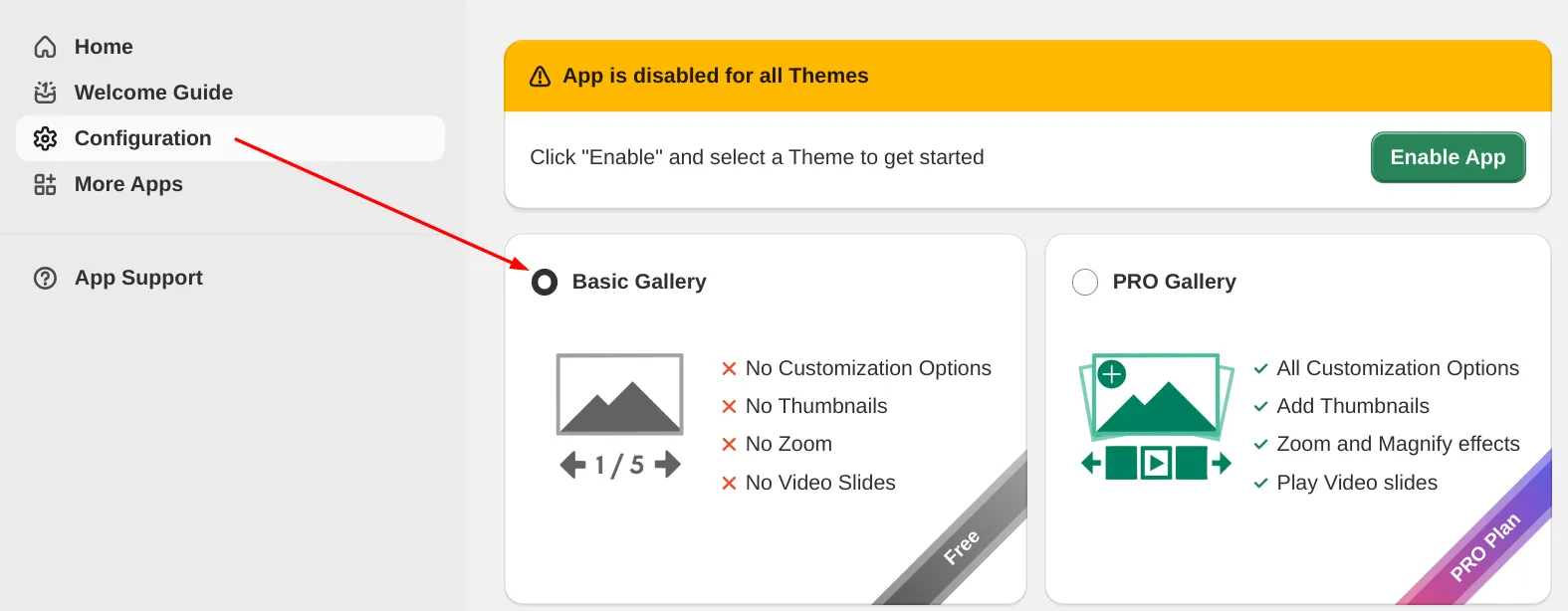
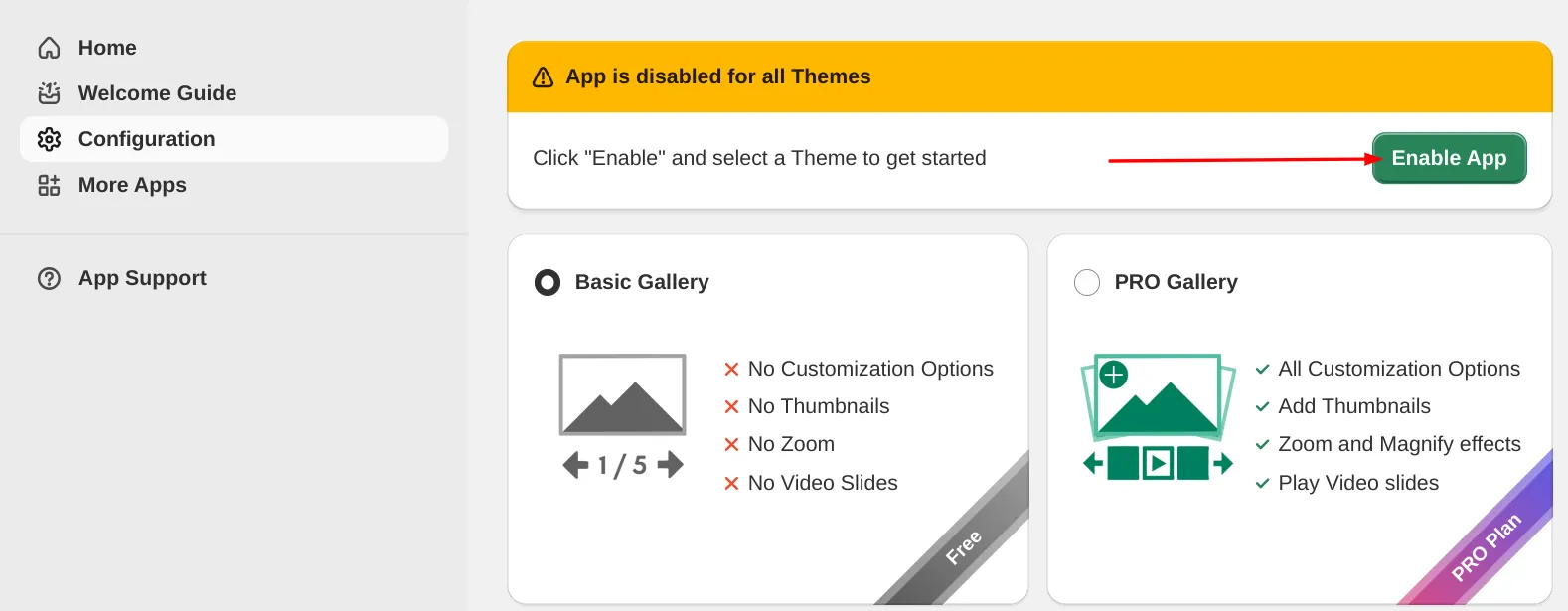
2. Enable App
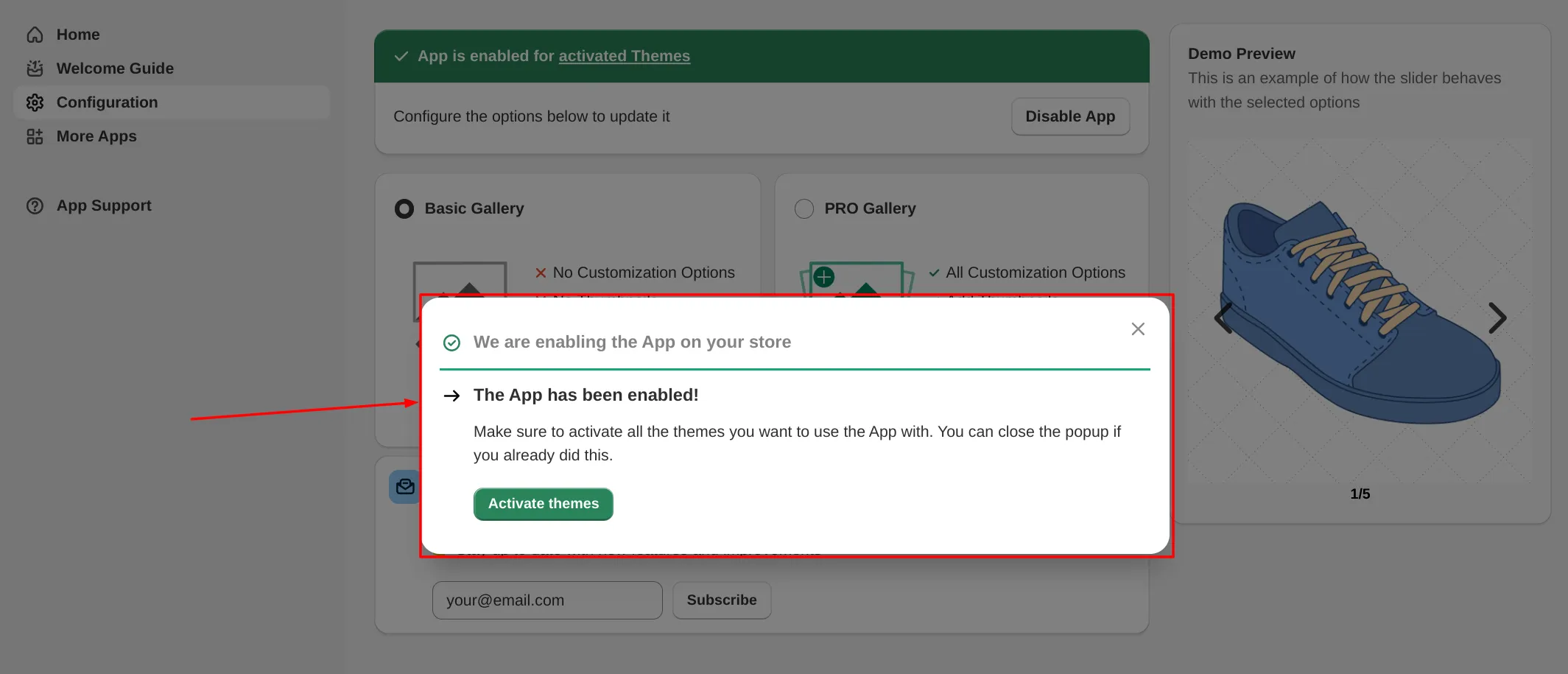
3. Follow the installation popup
4. Check the result
Normally after following these steps you should see the effect on your product page:
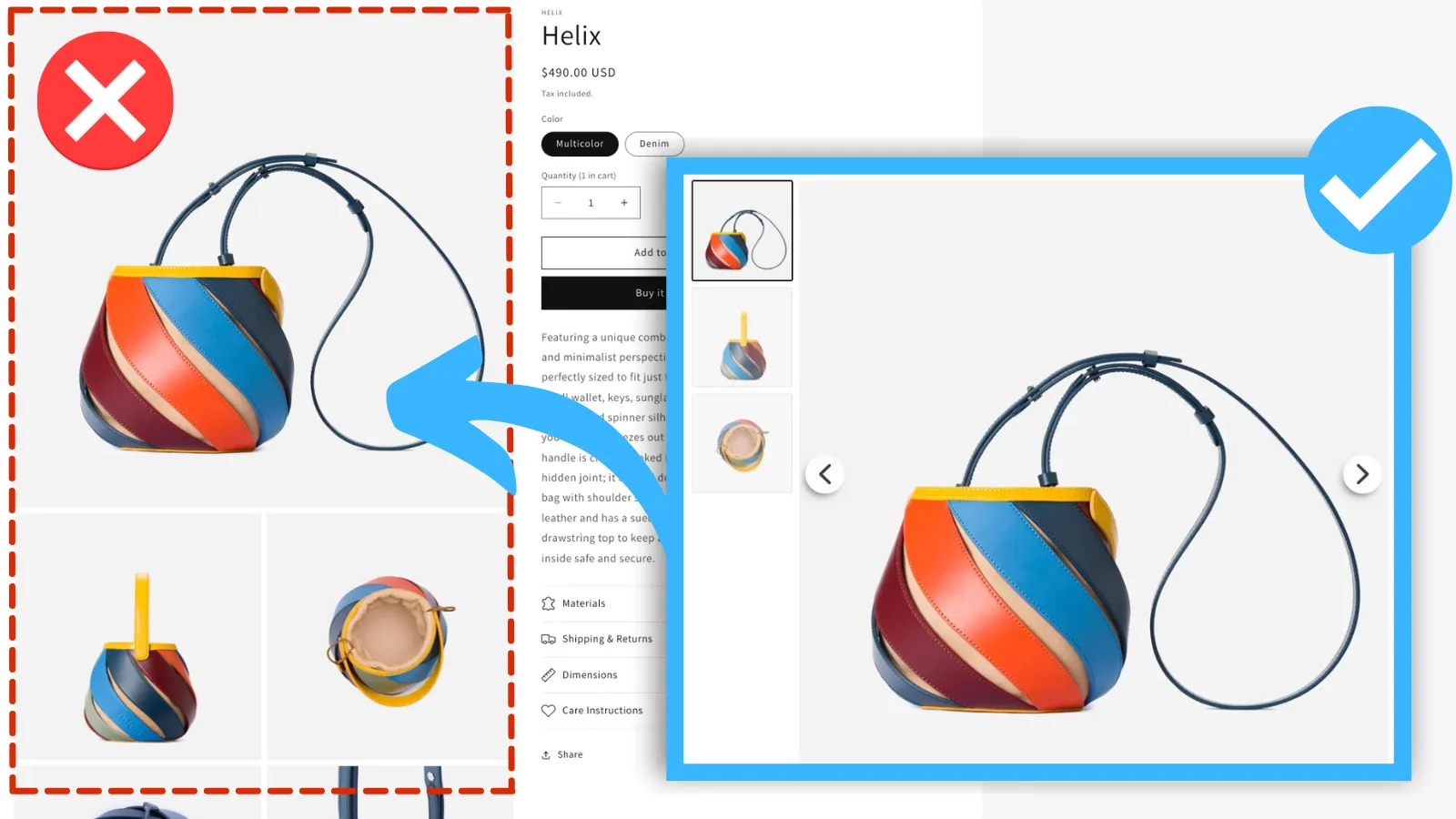
If you don’t see the effect — try contacting us or follow the I see no effect guide.
What’s next?
- Show only selected variant images for products with multiple variants
- Customize the gallery look with CSS to match your store’s design
- Add product images and video to the slider
Frequently Asked Questions
Does it work with all Shopify themes?
Yes. The GG Product Page Slider is compatible with all Shopify themes, including Dawn and other free themes. For custom or heavily modified themes you may need to follow the Manual Installation guide.
Does it support video?
Yes. The slider displays both images and videos attached to your product in the Shopify admin. Videos play inline and support autoplay, loop, and mute settings.
Can I show only the images for a selected variant?
Yes. You can configure the slider to display only the images that belong to the currently selected variant. See the Variant Images Guide for step-by-step setup.
Does it work with page builders like PageFly and GemPages?
Yes. We have dedicated installation guides for PageFly, GemPages, Shogun, and other page builders.