
Activate the App Embed - Shopify Product Page Slider
1. Open the theme activation guide
You can only activate themes if the app is enabled.

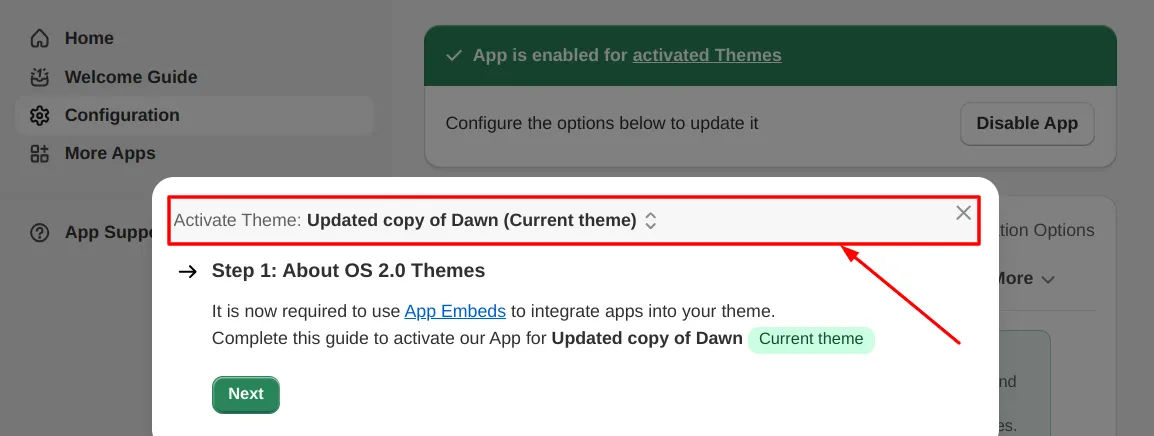
2. Select the theme
The app will be enabled only for themes that you activate. Select the theme and click “Next”.
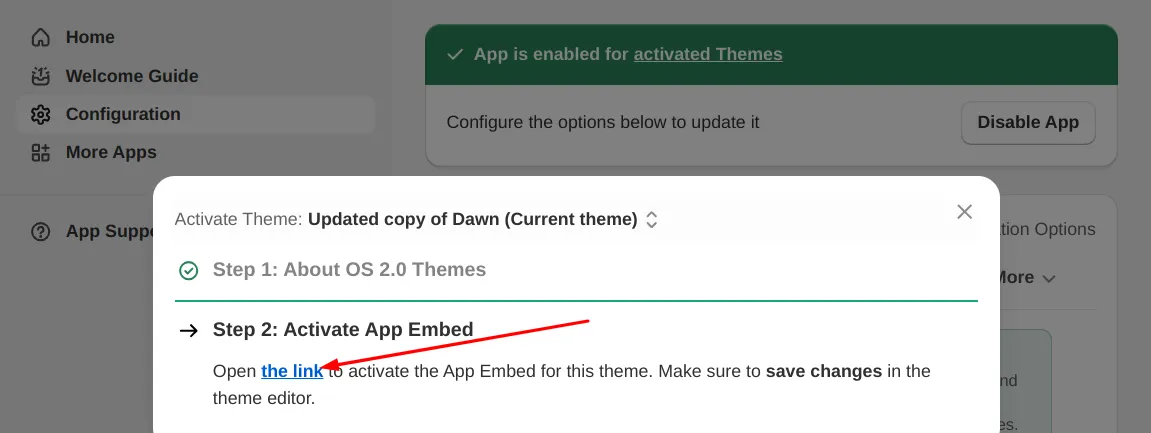
3. Open the activation link
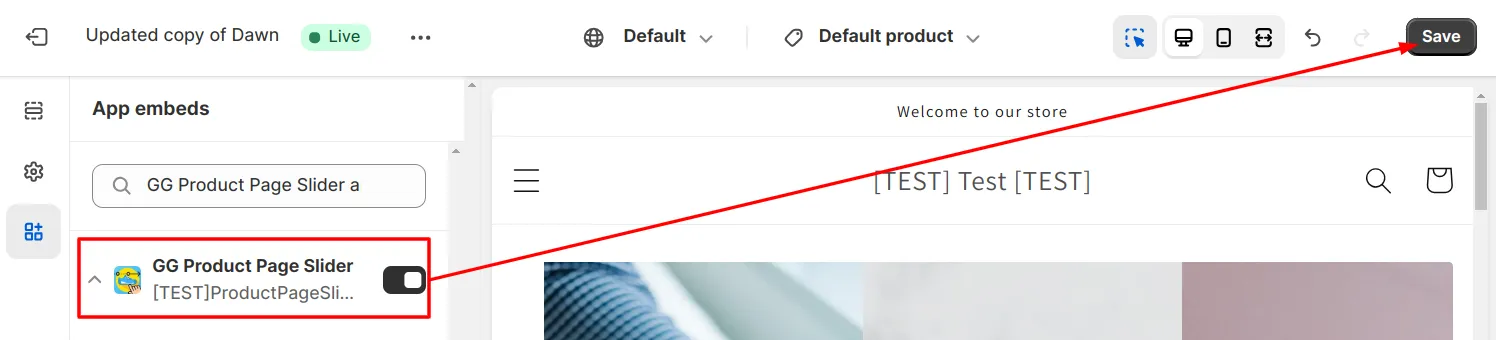
4. Save the theme settings
The activation link from the previous step leads you to the theme settings. Make sure that the App Embed on the left is turned on and click “Save”.
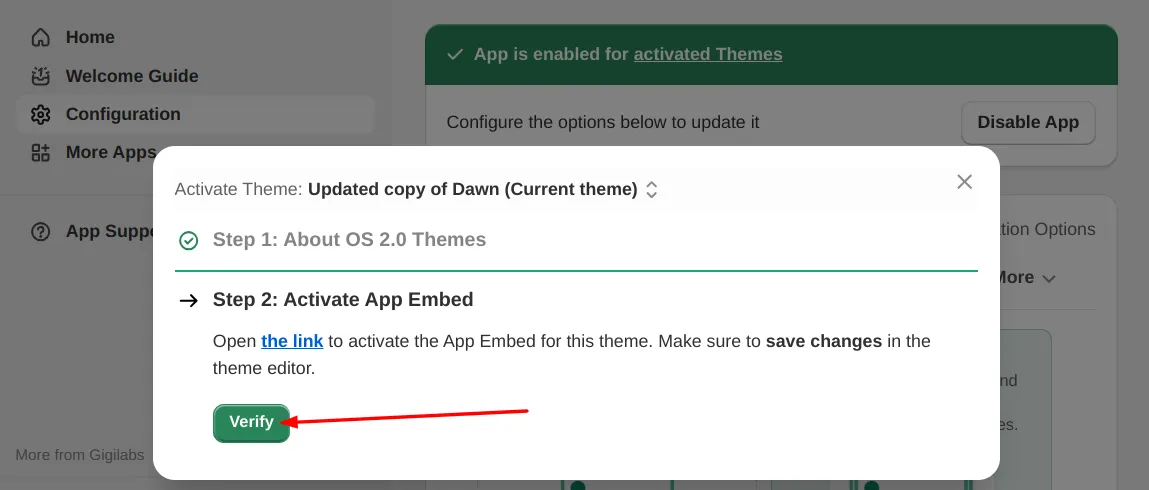
5. Verify activation
Clicking “Verify” will make sure you have completed the previous steps.
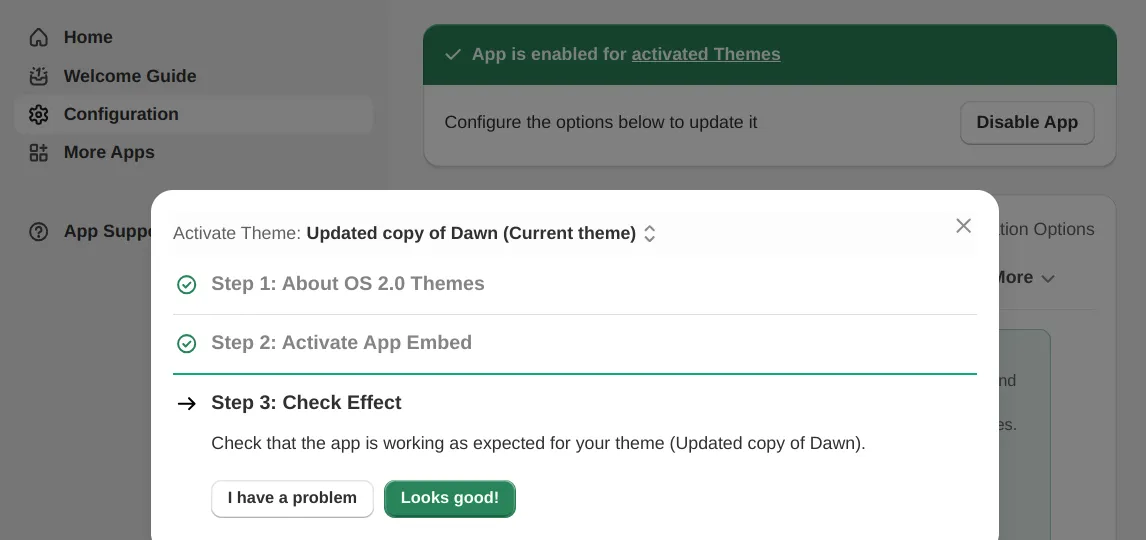
6. Check the result
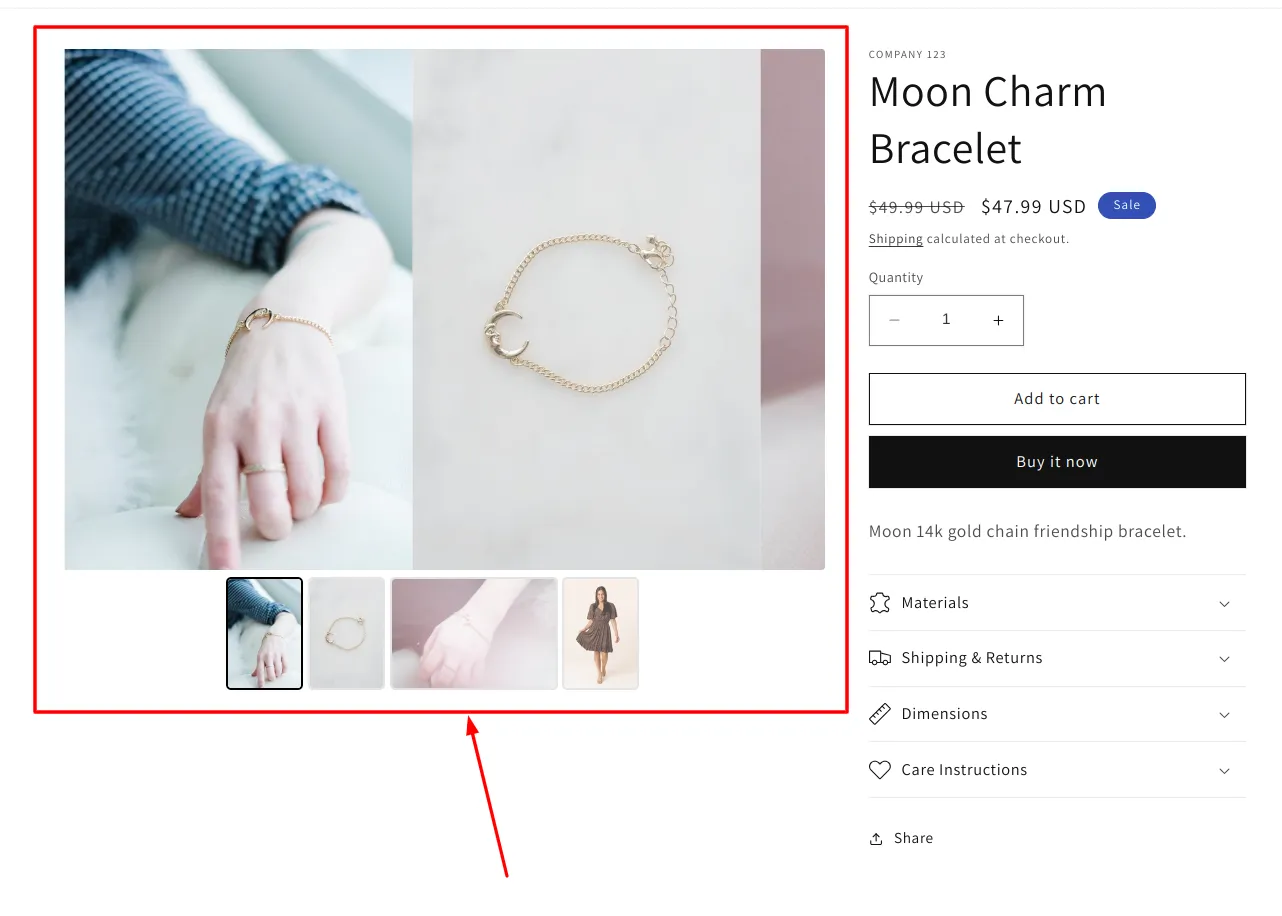
At this point the App Embed is activated for the selected theme. It is important to open your store now and check if you see the desired effect.
Go to your product page and check the effect:
7. If you see no effect
If you still see no effect at this point — check the I see no effect guide. You can also try the Manual Installation approach for custom themes.

Written by Nikolay Save
Updated