
Best Shopify Image Gallery Apps in 2026

Best Shopify Image Gallery Apps
There are two types of Shopify gallery apps, and they do completely different things. Product page gallery apps replace the built-in image viewer on your product pages. They pull images and video straight from Shopify’s Product API, so whatever media you’ve already uploaded to a product shows up automatically. On top of that, they add zoom, video playback, 3D models, and variant image filtering. Store page gallery apps are a different thing entirely. You upload your own images or connect feeds like Instagram and YouTube to build standalone galleries, lookbooks, or portfolios on any page of your store.
Both show up when you search “gallery apps” in the Shopify App Store, which makes it easy to end up with the wrong one. This shopify product gallery app comparison breaks down the best apps in each category so you can figure out which type you actually need.
What to Look for in a Shopify Gallery App
A few things matter regardless of which type of gallery app you’re shopping for. Others depend on the category.
Universal criteria:
- Ease of setup — Can you get it working without editing theme code? The best apps install with a single toggle or app block.
- Theme compatibility — Does it work with your theme out of the box? Look for Online Store 2.0 support and check whether custom themes need manual setup.
- Mobile experience — Most Shopify traffic is mobile. The gallery needs to handle touch gestures, resize properly, and not drag down page speed.
- Media support — Every gallery app should handle images well. Beyond that, you might need video, 3D models, or animated content depending on your products.
- Free plan — A Shopify free image slider option exists for most apps in this list, but coverage varies. Some lock zoom, video, or variant filtering behind paid plans. Check what’s included before you commit.
Best Product Page Gallery Apps
If you’re after the best Shopify product gallery app specifically for your product pages, these are the ones worth looking at. They take over the native Shopify product image viewer. They connect to the Product API and automatically show the images, videos, and 3D models you’ve already attached to each product. No extra uploads, no separate media library. If you’re looking for the best Shopify product image slider app, this is the category. They live on your product pages and control how customers browse through your product media. Each Shopify product image slider app review below breaks down strengths, limitations, and who the app is best for.
What matters in this category:
- Variant image filtering — Does the gallery change when a customer picks a different variant? The good ones hide irrelevant images automatically instead of just scrolling to the right spot.
- Zoom quality — Hover-to-zoom (magnifier) and click-to-zoom (lightbox) both matter. Test on mobile too, because pinch-to-zoom and double-tap should feel smooth. Zoom also depends on source resolution — see our Shopify product image size guide for the specs that keep zoomed views sharp.
- Video and 3D support — If you have video or 3D models attached to products in Shopify, the gallery should display them inline alongside your images.
| GG Product Page Slider | Magic Zoom Plus | GO Gallery + Zoom | VSlide | |
|---|---|---|---|---|
| Rating | 4.9 (150+ reviews) | 4.6 (94 reviews) | 4.9 (49 reviews) | 4.8 (43 reviews) |
| Built for Shopify | Yes | No | No | No |
| Free plan | Yes (permanent) | Trial (watermark) | Dev stores only | 30 days only |
| Price | Free / $4.99+ mo | $69 one-time | $2.99/mo | $9.99+/mo |
| Zoom | ||||
| Hover zoom (magnify) | Yes (side panel + in-place) | Yes | Yes | Yes |
| Lightbox (click-to-zoom) | Yes | Yes | Yes | Yes |
| Pinch-to-zoom (mobile) | Yes | Yes | Yes | — |
| Video | ||||
| Native Shopify video | Yes | Yes | No | Yes |
| YouTube | Yes | Yes | Yes | — |
| Vimeo | Yes | Yes | No | — |
| Fullscreen playback | Yes | Yes | — | — |
| Autoplay videos | Yes | — | Yes | — |
| 3D & AR | ||||
| 3D model viewer | Yes | No (360 via Sirv add-on) | Yes (auto-rotate) | No |
| AR (view in your space) | Yes | No | — | No |
| Variant images | ||||
| Variant image filtering | Yes (automatic) | Yes | Yes | Yes |
| Gallery UI | ||||
| Thumbnail styles | 11+ | Scrollable carousel | Arrows + bullets | Basic |
| Navigation modes | 5 (arrows, dot click, dot hover, image hover, image swap) | Arrows | Arrows + carousel | 3 types |
| Separate mobile config | Yes | No | Yes | No |
GG Product Page Image Slider
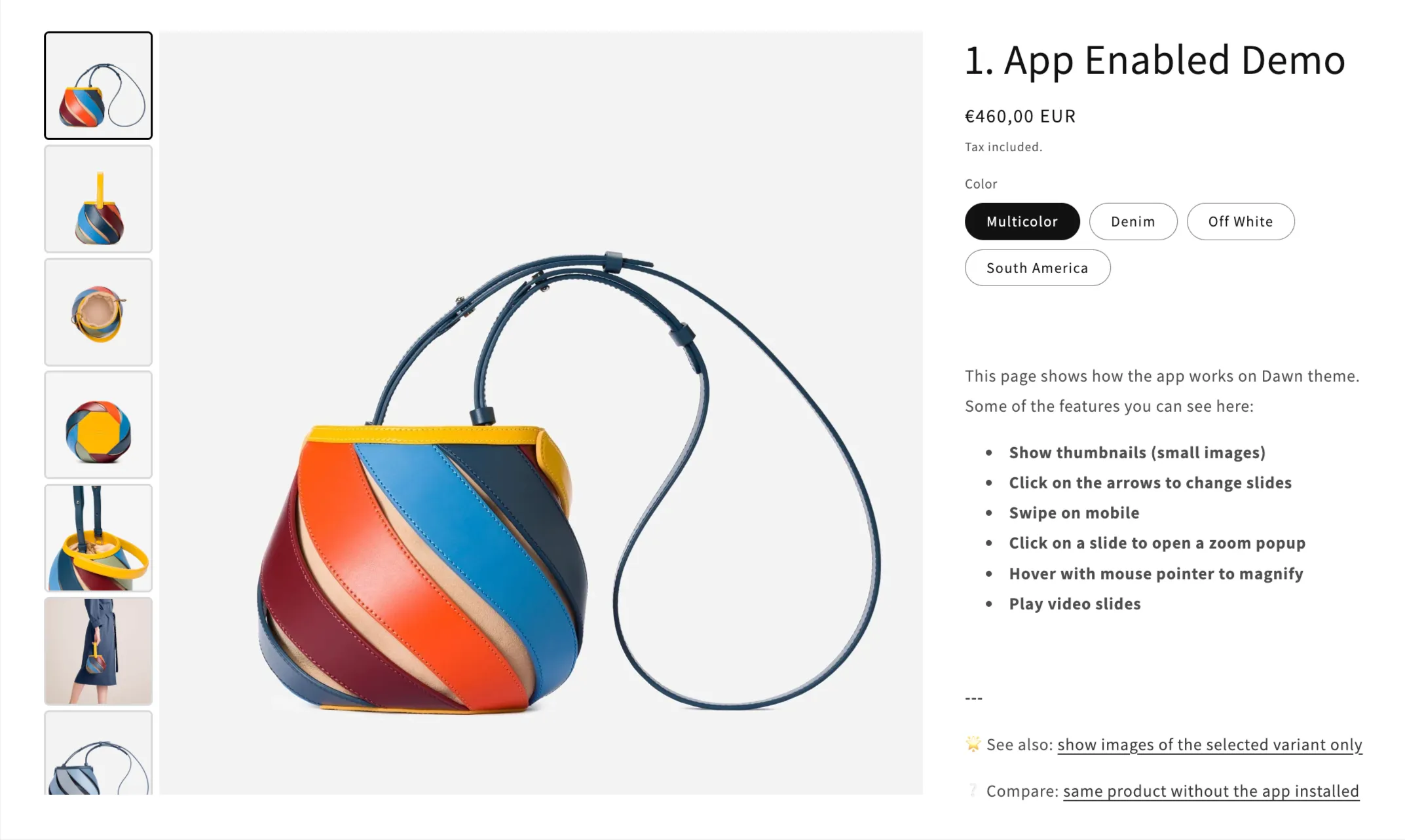
Full disclosure: GG Product Page Image Slider is our app. We’re including it in this comparison because we think it holds up, but for transparency, you should know we built it.
It replaces the default product image viewer with a slider that handles images, video, 3D models, and zoom (hover magnify and click-to-enlarge lightbox). The feature list is the longest in this category, which is partly why we built it. We wanted something that covered all the bases.
We built it to be a single app that handles all the things merchants usually need from a product gallery: zoom, video, 3D, and variant image filtering. Instead of combining multiple apps or workarounds, everything lives in one place. If something doesn’t work with your theme, our support team sorts it out. On the variant filtering side, when a customer picks a variant, the gallery hides images that belong to other variants and only shows the relevant ones. It figures this out automatically from your image order in Shopify, so there’s no per-product configuration. Shared images like size charts stay visible across all variants.
You get 11+ thumbnail and dot styles, five navigation modes (arrows, dot click, dot hover, image hover, and image swap), and separate settings for desktop and mobile. The free plan gives you a basic slider with arrows. The PRO plan ($8.99/month, 7-day free trial) opens up all the customization, video, 3D, zoom, and variant filtering. Stores on Basic Shopify or trial plans get a discounted rate of $4.99/month.
It works with every Shopify theme through the App Embed method. No code changes needed for supported themes, and our support team handles custom themes for you.
Strengths: Most complete feature set in this category. Automatic variant image grouping that works across large catalogs without per-product setup. Six admin languages. Responsive image loading with srcset across 15 breakpoints so mobile devices don’t download oversized images.
Limitations: Product pages only. Video and zoom require the PRO plan.
Best for: Merchants who want a full-featured product gallery with variant filtering, video, and zoom that works across all themes without touching code.
Magic Zoom Plus
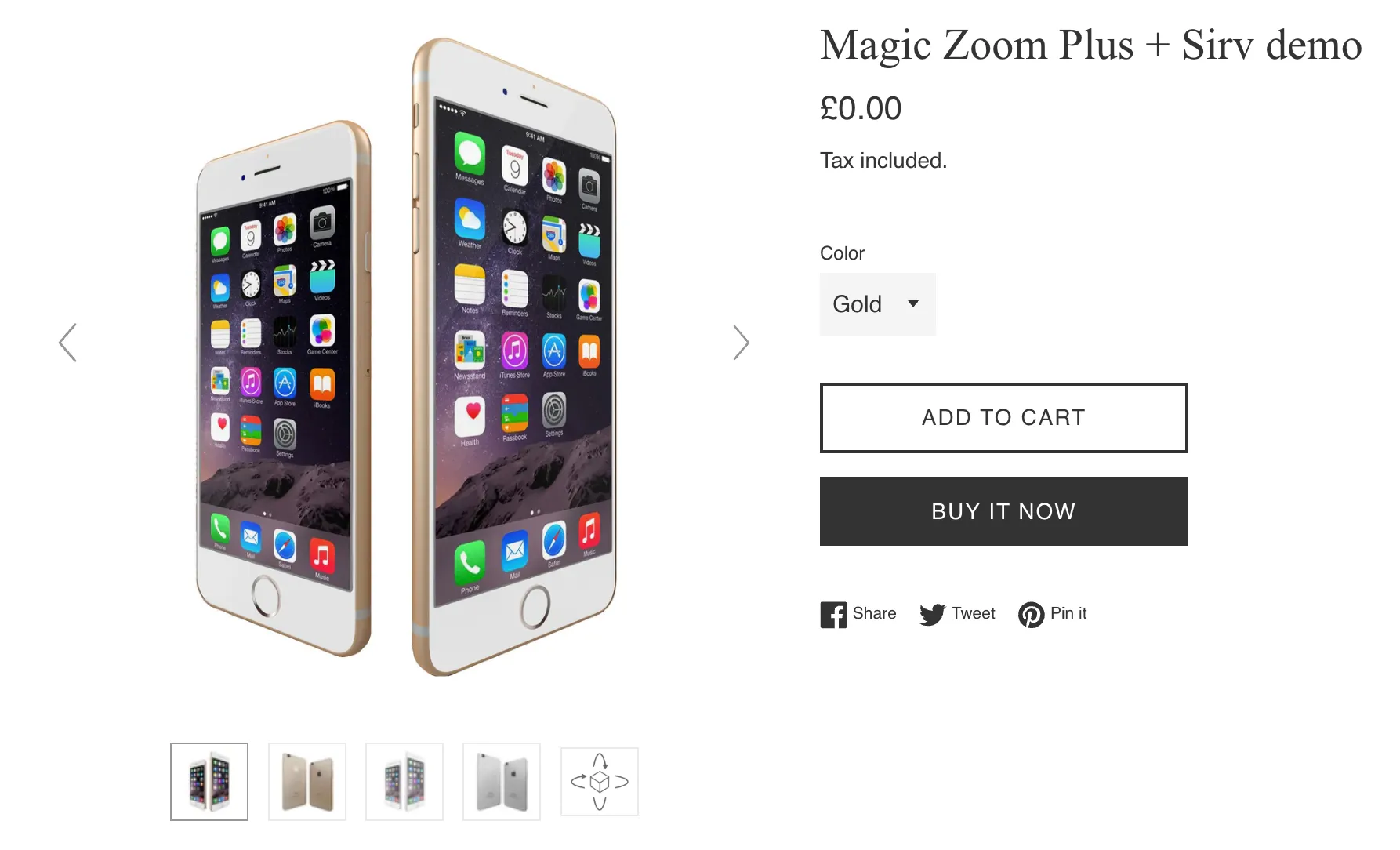
Magic Zoom Plus by Magic Toolbox has been around since 2012, making it the longest-running product gallery app on Shopify. It’s built around zoom, with over 70 options for controlling how hover zoom, click-to-enlarge, and magnify modes behave.
It supports native Shopify video, YouTube, Vimeo, and SproutVideo. For 3D, there’s no built-in support. You can get 360-degree spin through a Sirv integration, but that means a separate Sirv account with its own pricing. Variant image filtering works, with images updating when customers switch variants.
The pricing is different from everything else here: you pay $69 once and you’re done. No monthly fees. The app is fully functional with a trial watermark that stays until you buy the license. There’s no time limit on the trial.
Strengths: Deep zoom customization (70+ options). One-time payment with no recurring costs. 14 years of stability. Free theme support for unsupported themes (added within 24-48 hours).
Limitations: No native 3D model support (needs a separate Sirv account). English only. Uninstalling requires manual theme file restoration. No permanent free plan.
Best for: Merchants who care most about zoom quality and would rather pay once than deal with a monthly subscription.
GO Product Page Gallery + Zoom
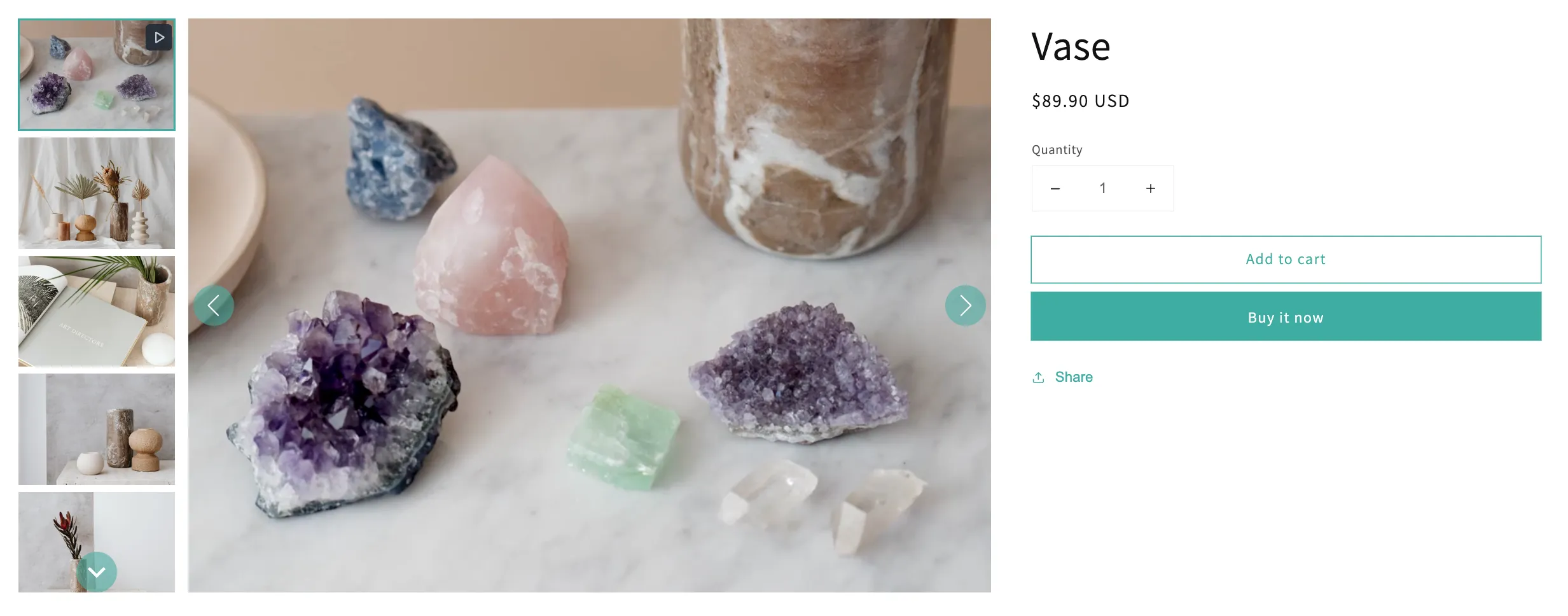
GO Product Page Gallery + Zoom by Galaxio is the cheapest paid option at $2.99/month with a 14-day free trial. For that price, you get both zoom modes (hover and lightbox), YouTube video support, and native 3D model support with auto-rotation. Only GG Product Page Slider also offers native 3D in this category.
It has separate desktop and mobile configurations, customizable thumbnails with arrows and bullets, and fade or scroll transitions. The admin supports 11 languages, which is more than any other app in this comparison.
The downsides: video only works with YouTube (no native Shopify video, no Vimeo). There’s no free plan for live stores (free is only for development and trial stores). It launched in 2021, so it has fewer reviews than the others.
Strengths: Lowest price. Native 3D support. 11-language admin. 4.9 rating.
Limitations: No free plan for live stores. Video limited to YouTube. Newer app with fewer reviews (49). May need extra work with page builders.
Best for: Merchants on a budget who need 3D model support and serve customers in multiple languages.
VSlide: Variant Images Gallery
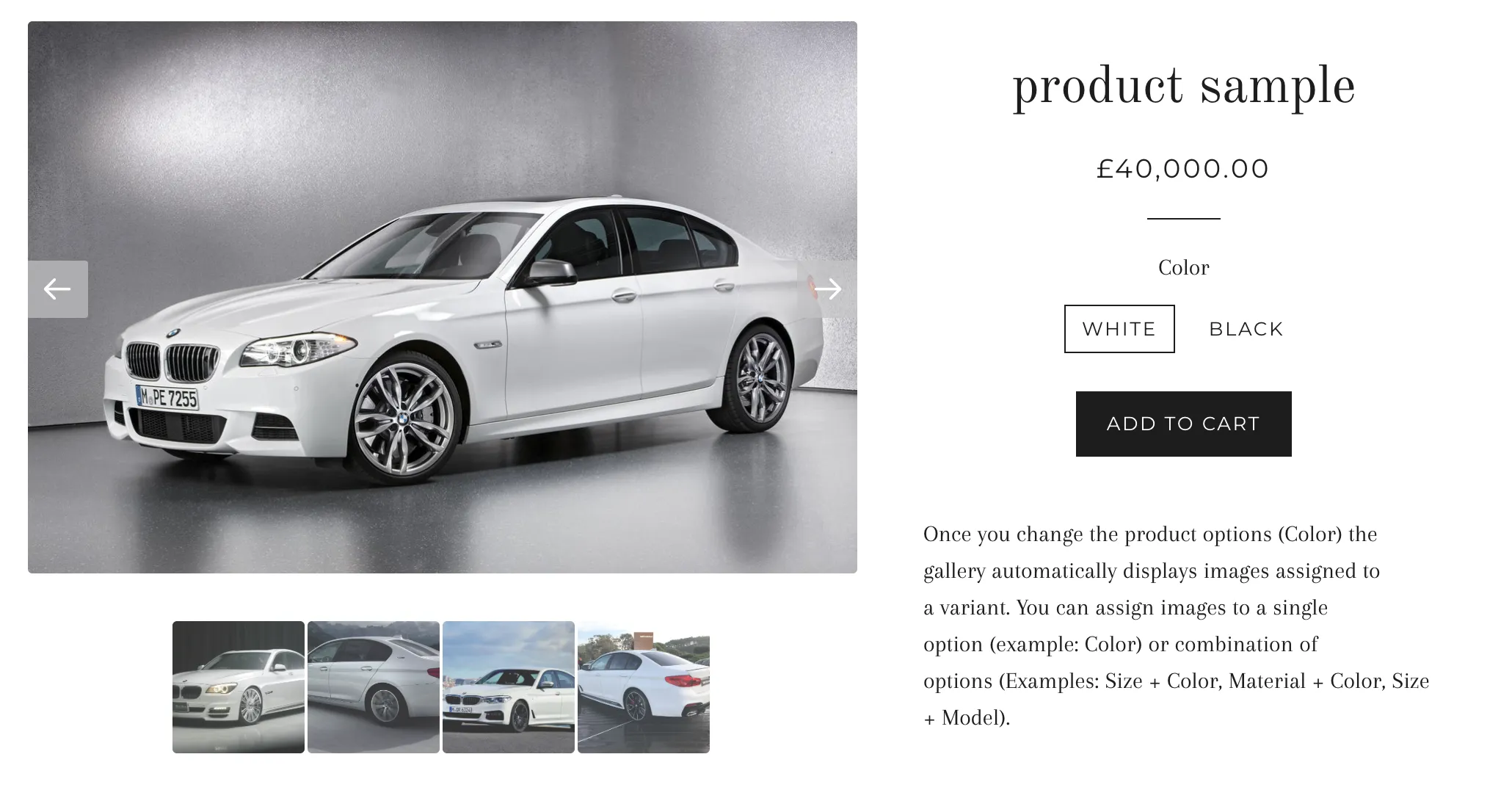
VSlide by Gravity Software is focused on variant image management. You assign specific images to each variant, and the gallery filters automatically when a customer makes a selection. It replaces the native product page image section.
It includes hover zoom, a lightbox popup, and video support. You can choose between three display types: carousel, slider, or gallery with thumbnails. There’s also an AI image generation feature that creates product image variations from your existing photos. It’s a secondary feature, not the main reason to use the app.
Pricing starts at $9.99/month after a 31-day free trial. The free plan gives you all features but only for 30 days. The higher tiers ($19.99 and $49.99/month) just increase the AI image generation limit without adding gallery features.
Strengths: Solid variant image assignment. AI image generation as a bonus. 31-day full-featured trial.
Limitations: No permanent free plan. No 3D support. Higher price than competitors for the core gallery features. English only.
Best for: Merchants with lots of variants who want clear variant-to-image assignment and might use AI-generated product images.
Best Store Page Gallery Apps
These apps add image galleries, lookbooks, and portfolios to any page on your store. They don’t connect to the Product API like the apps above. Instead, you upload your own images or the app pulls from external sources like Instagram, YouTube, or Facebook. They create standalone gallery sections you can drop on your homepage, collection pages, or custom landing pages. If you’re looking for a way to improve how product images look on your product pages, the product page gallery apps section above is what you want.
What matters in this category:
- Placement flexibility — Can you put the gallery on any page, or only certain page types? The best apps work as Shopify 2.0 app blocks that go anywhere.
- Shoppable hotspots — If you want customers to shop directly from gallery images, you need product tagging with clickable pins or hotspots.
- Layout variety — Grid, masonry, carousel, justified, slider. Different layouts work for different purposes, and more options give you room to change things up later.
| XO Gallery | Lookfy Lookbook | Essential Grid | POWR Lookbook | |
|---|---|---|---|---|
| Rating | 4.9 (~200 reviews) | 4.8 (~188 reviews) | 4.8 (~197 reviews) | 4.4 (~134 reviews) |
| Built for Shopify | Yes | Yes | Yes | Yes |
| Free plan | 12 images | 1 gallery / 50 photos | 1 gallery / 3 templates | ~6 images + branding |
| Price | $5.95/mo | $5.99/mo | $5.99/mo | $5.49/mo |
| Layouts | ||||
| Layout types | 6 (Grid, Masonry, Stack, Justified, Carousel, Slider) | 6 (Grid, Masonry, Row, Carousel, List, Lookbook) | 3 (Grid, Masonry, Collage) | 4 (Grid, Collage, List, Slider) |
| Lightbox | Yes (free) | Growth plan ($12.99) | Yes (free) | Pro plan ($13.49) |
| Media sources | ||||
| Custom image upload | Yes (bulk) | Yes (bulk) | Yes (bulk) | Yes |
| Shopify product images | Yes | Yes | Yes | No |
| Instagram feed | No | No | Yes | No |
| YouTube / Vimeo | No | No | Yes | Yes (+ TikTok) |
| Shoppable | ||||
| Product hotspots | Yes | Yes (multi-product pins) | Yes | Yes |
| Shop the Look | — | Yes | Yes | — |
XO Gallery
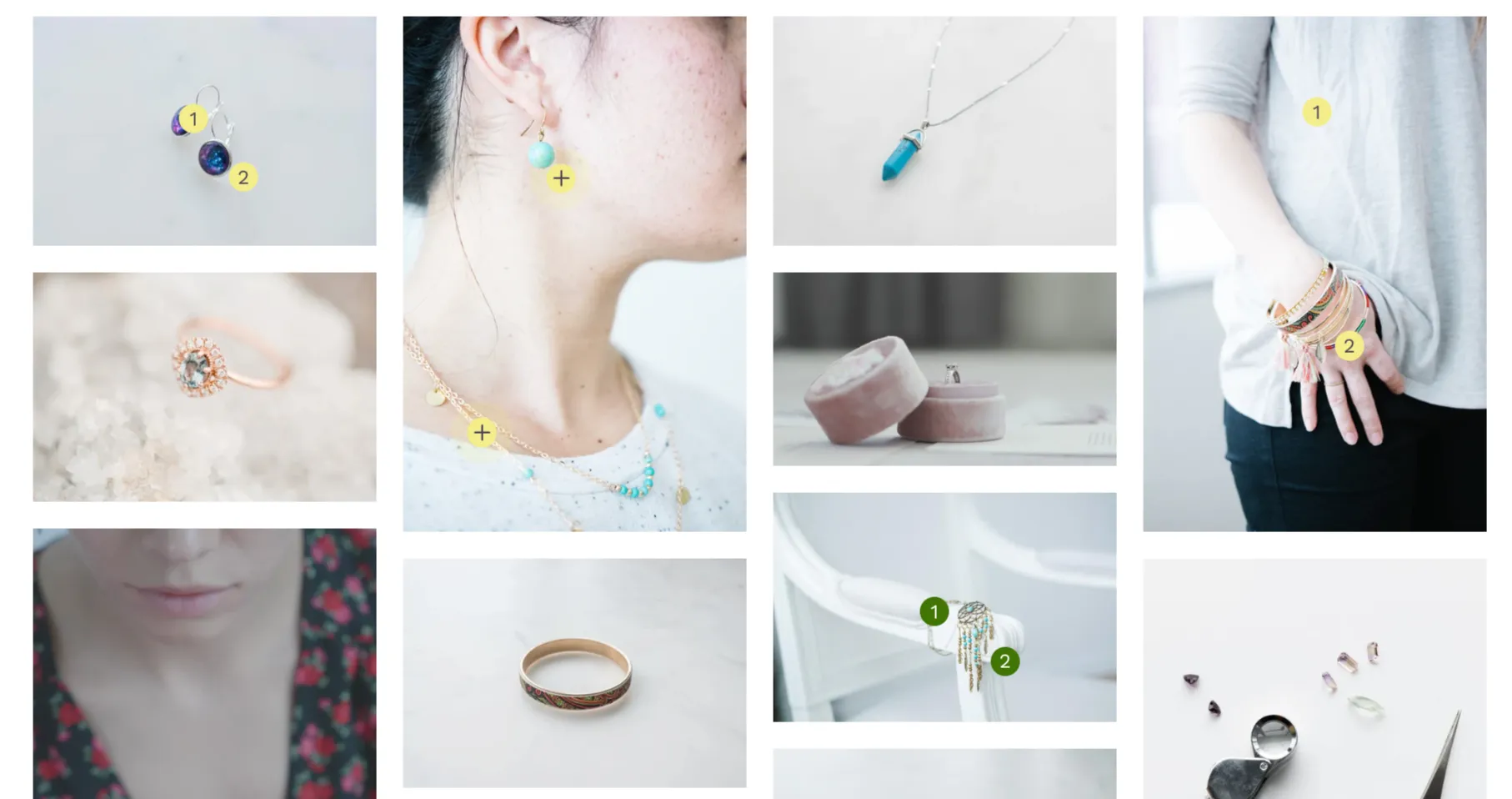
XO Gallery by Xotiny has the most layout options in this category: grid, masonry, stack, justified, carousel, and slider. Shoppable hotspots are available on the Basic plan ($5.95/month), so you can tag products directly on images. The free plan caps you at 12 images. Bulk upload is supported, and galleries work as Shopify 2.0 app blocks on any page. There’s no social feed integration, so all images need to be uploaded directly.
Best for: Stores that want the widest range of layout options with shoppable tagging at a fair price.
Lookfy Lookbook: Image Gallery
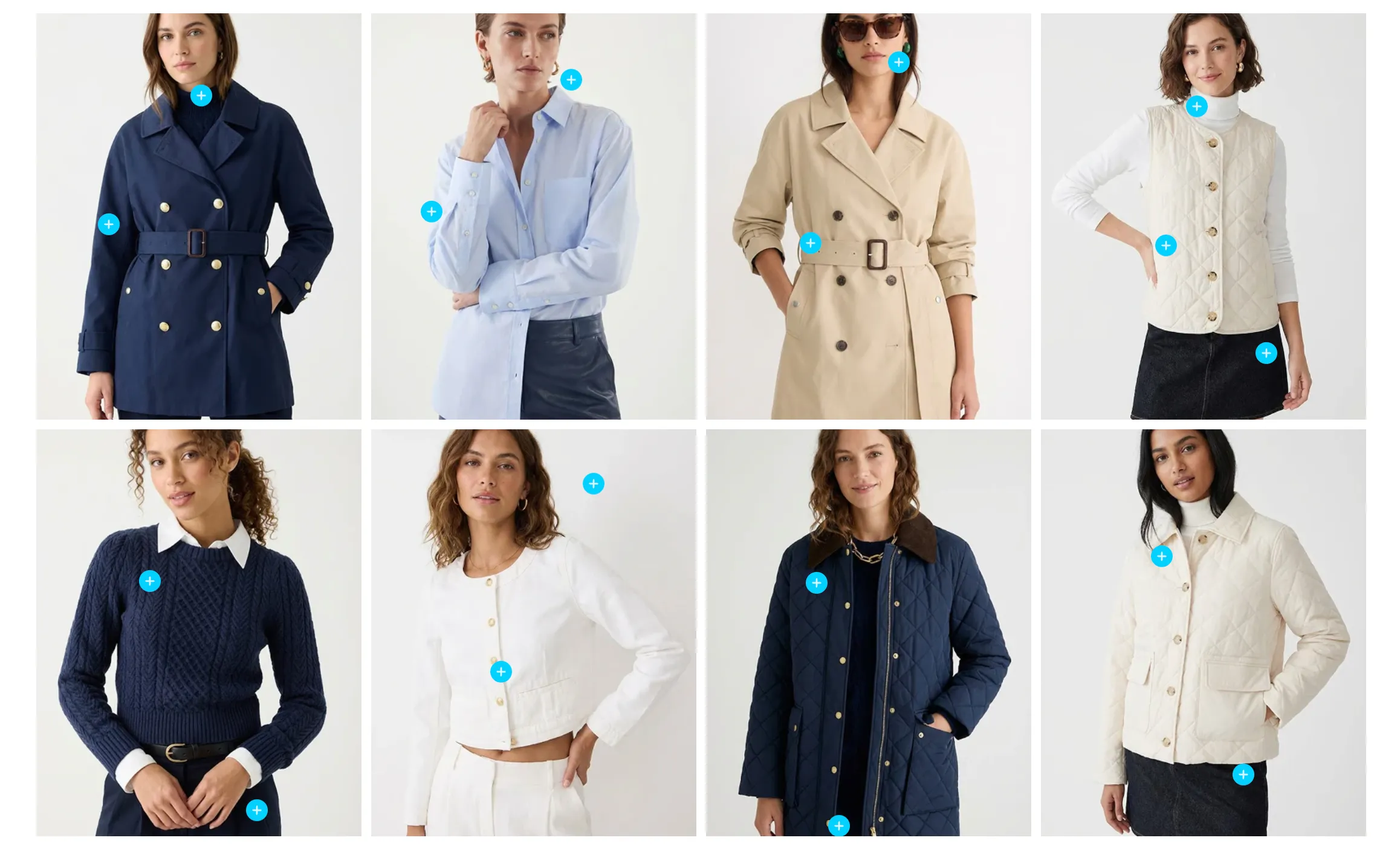
Lookfy by KiteApps is designed around “shop the look” experiences. You pin multiple products on a single lifestyle image so customers can browse and buy from curated outfits or room setups. The free plan gives you 1 gallery with 50 photos, which is more generous than XO Gallery’s 12-image limit. Full lightbox needs the Growth plan at $12.99/month. It works well with page builders like PageFly and GemPages, and annual plans save you 25%.
Best for: Fashion and lifestyle stores that want curated, shoppable lookbook pages.
Essential Grid Gallery
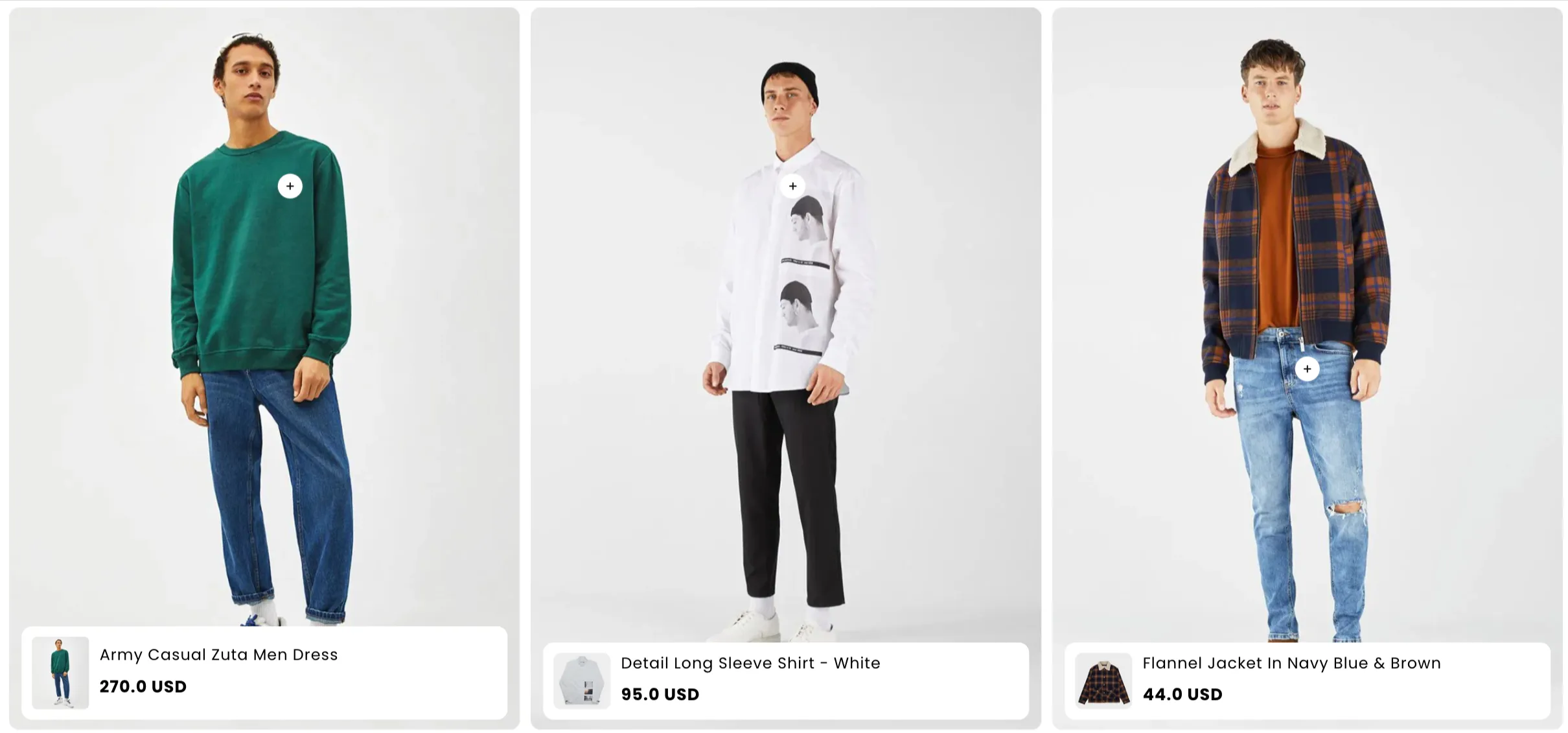
Essential Grid Gallery by ShopiDevs is the only app here that pulls content from social media. It connects to Instagram, Facebook, YouTube (including Shorts and playlists), Vimeo, Flickr, and X. There are 70+ templates, and lightbox is included even on the free plan. The trade-off is fewer layout types (grid, masonry, collage) compared to XO Gallery and Lookfy. Social feed integration starts at the Basic plan ($5.99/month), and all paid plans come with a 14-day money-back guarantee.
Best for: Stores that want to combine social media content with product galleries in one section.
POWR Lookbook Gallery

POWR Lookbook Gallery by POWR.io is part of a bigger ecosystem of 60+ POWR apps. It has grid, collage, list, and slider layouts with shoppable product tags. One unique thing: it integrates with Canva, so you can create gallery images without leaving the app. The free plan is pretty limited (around 6 images with POWR branding). The Starter plan ($5.49/month) only gets you 12 images. Lightbox requires the Pro plan at $13.49/month. The top tier ($89.99/month) bundles every POWR app, which is way more than you need if you just want a gallery.
Best for: Merchants already using other POWR apps who want to add a gallery widget in the same ecosystem.
Frequently Asked Questions
- What is the difference between a product page gallery app and a store gallery app?
- A product page gallery app replaces the built-in image viewer on your Shopify product pages. It controls how customers browse product photos, videos, and 3D models, with features like zoom, variant image filtering, and swipeable slides. A store gallery app adds standalone image galleries to any page on your store (homepage, collection pages, custom pages) using images you upload or pull from social feeds. They solve different problems. If your product pages need a better image viewer, go with a product page gallery app. If you want a lookbook or portfolio section on your homepage, you need a store gallery app.
- Do gallery apps work with page builders like PageFly or GemPages?
- Most modern gallery apps work with page builders because they use Shopify's Online Store 2.0 app embed or app block system. Product page gallery apps like GG Product Page Image Slider work automatically on any product page regardless of how it was built. Store gallery apps like Lookfy and XO Gallery can be added as app blocks inside page builder layouts. If your page builder creates non-standard product page structures, it's worth checking with the app's support team before you install.
- Will a gallery app slow down my store?
- A well-built one shouldn't. Look for apps that lazy load images (only loading them as they scroll into view), serve responsive sizes (smaller images on mobile), and load asynchronously (not blocking the rest of the page). The GG Product Page Image Slider, for example, builds its own responsive image elements with srcset across 15 resolution breakpoints and lazy loads off-screen slides.
- Can I use a product page gallery app alongside a product customizer or other apps that modify the product page?
- Usually not in the same section. A product page gallery app replaces the native image viewer, so if another app also tries to control that same area, they'll conflict. Only one app can own the gallery section at a time. If you need both, you have a couple of options: disable the gallery app on specific products by adding a tag (the GG Product Page Image Slider uses
gg-slider-disable), or ask the app's support team to configure it below the customizer instead of replacing the native gallery. Store page gallery apps don't have this issue because they add new sections rather than replacing existing ones. - What else improves product page conversions beyond picking the right gallery app?
- A good gallery is one piece. Layout, product photography, description structure, CTA placement, and variant image handling all matter together. Our Shopify product page optimization guide walks through the broader best practices that pair with the gallery to lift conversions.
