

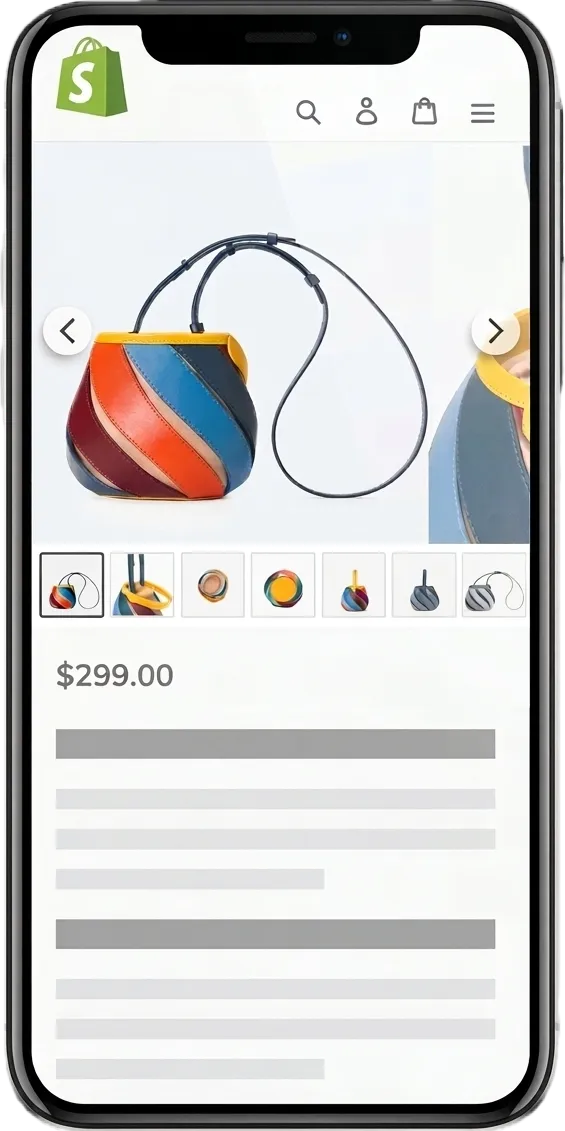
Why Your Shopify Product Gallery Matters
Every Shopify theme handles product images its own way. Even a good theme might be missing something you need - zoom, video player, better thumbnails.
We looked at how industry leaders display product galleries and collected the features that actually matter. This app puts them all in one place so you can add that same experience to your store without rebuilding your theme.
Gallery Layout Modes
GG Product Page Image Slider ships with multiple gallery and carousel layouts, each designed for a different type of product catalog and theme. Switch between them from the dashboard - no code needed.
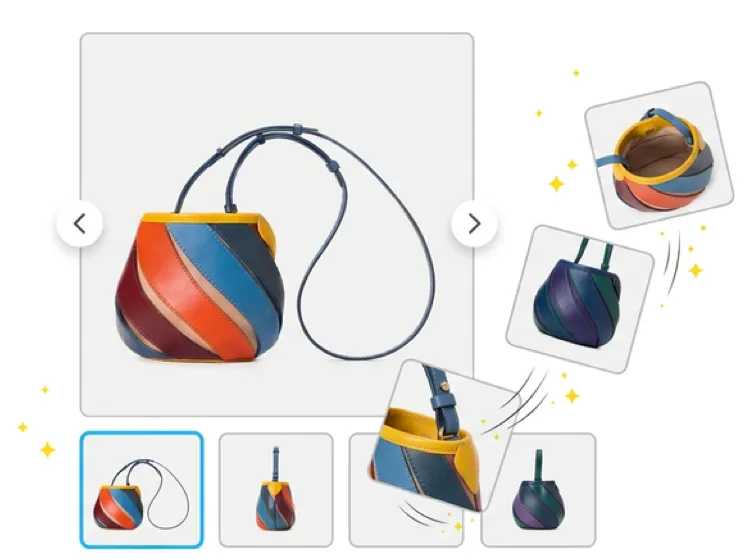
Horizontal Thumbnails
The most popular layout. A main image with a horizontal thumbnail strip below it. Arrows and swipe gestures move between images.
The thumbnails scroll when you have more images than fit on screen, so every photo stays one tap away. This is the classic product gallery layout that works with virtually any theme.
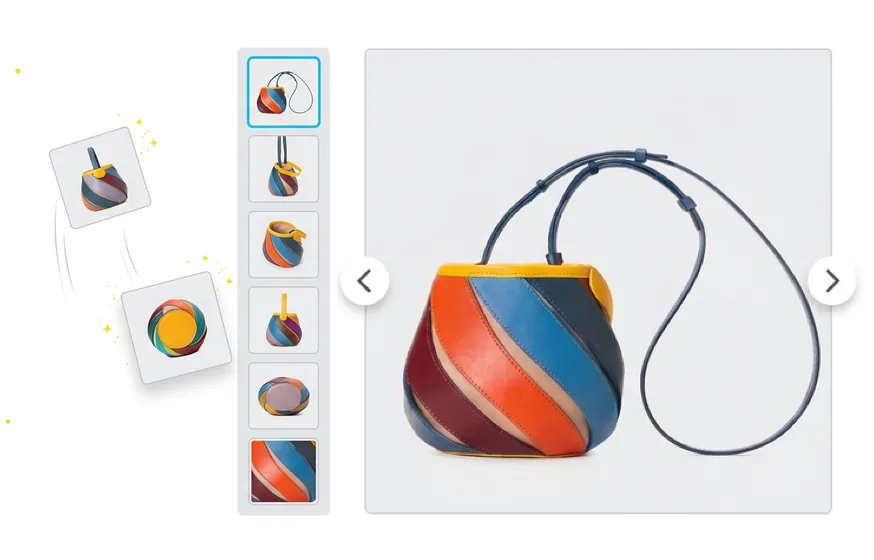
Vertical Thumbnails
A full-width gallery with the thumbnail strip on the left side of the main image. This layout takes advantage of wider screens and gives product images more room.
It also reveals neighboring slides as the customer navigates, creating a modern, immersive browsing feel. Best for themes with a wide product page layout.
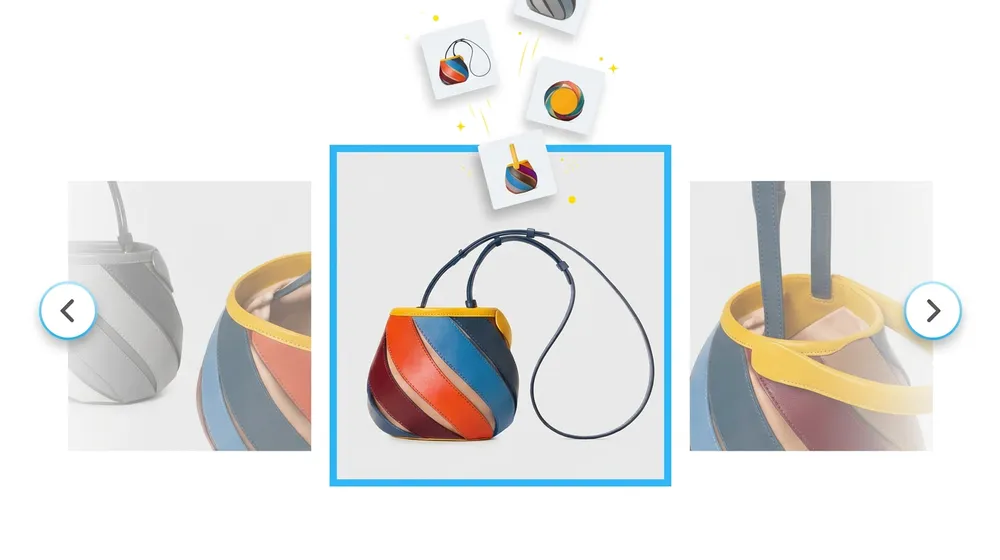
Multi-Image Preview
Instead of showing one image at a time, this mode reveals the next slide alongside the current one. Customers can see what’s coming without navigating, which encourages them to browse the full set.
Our Shopify image carousel creates the browsing experience that keeps shoppers engaged with your product photos.
Mobile Product Gallery
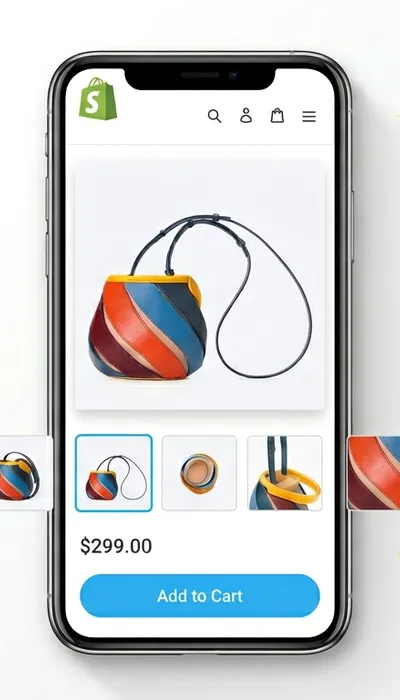
Over 70% of store visits happen on mobile devices. The default product gallery on most themes wasn’t built for that - small tap targets, no swipe support, and thumbnails that don’t fit the screen.
GG Product Page Image Slider is built mobile-first. Swipe gestures work natively, so customers navigate images the way they’re used to on every other app.
The thumbnail strip adapts to the screen width and scrolls horizontally. Pinch-to-zoom opens a full-screen lightbox where shoppers can inspect product details without losing their place in the gallery.
Images load only as customers interact with them, so the gallery stays fast even on slower mobile connections.
Zoom, Variant Images, Video & 3D
Beyond layout modes, the app handles the features that turn a basic Shopify product image gallery into a full-featured gallery shoppers love. Each feature works across all gallery layouts.
Zoom & Lightbox
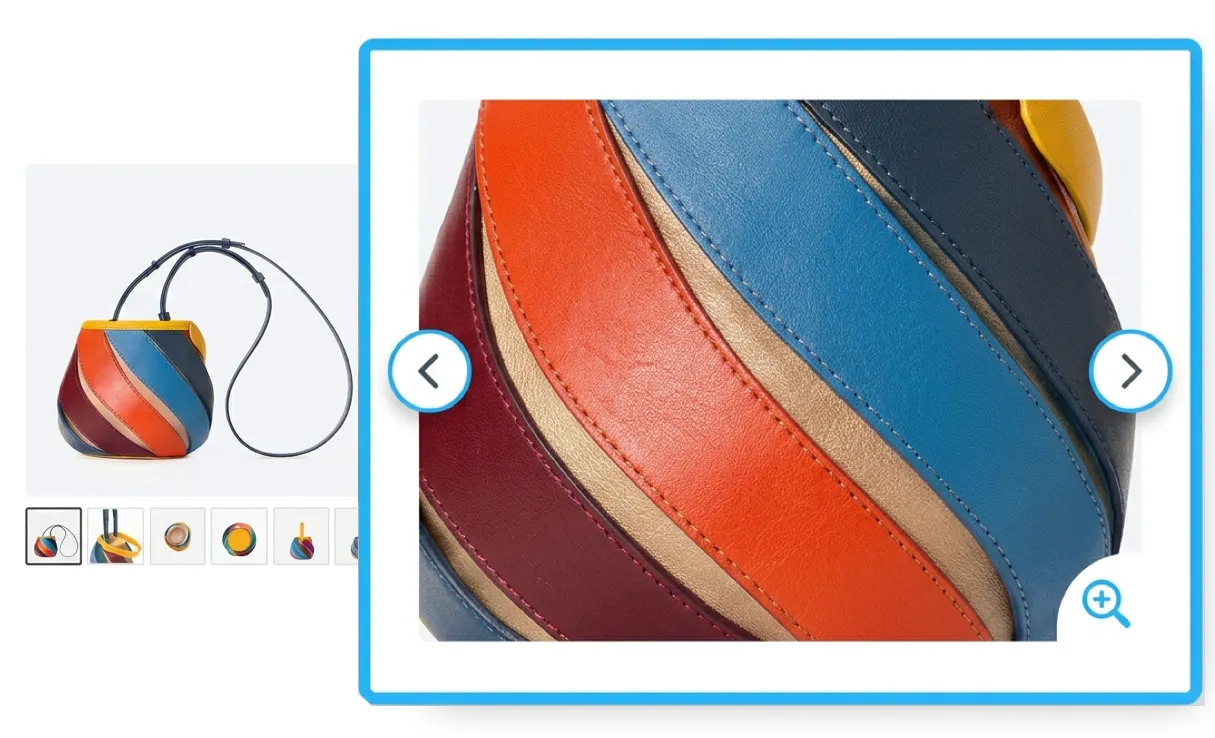
Hover-zoom on desktop and a fullscreen lightbox on any device let shoppers inspect product details up close without leaving the product page.
Variant-Specific Images
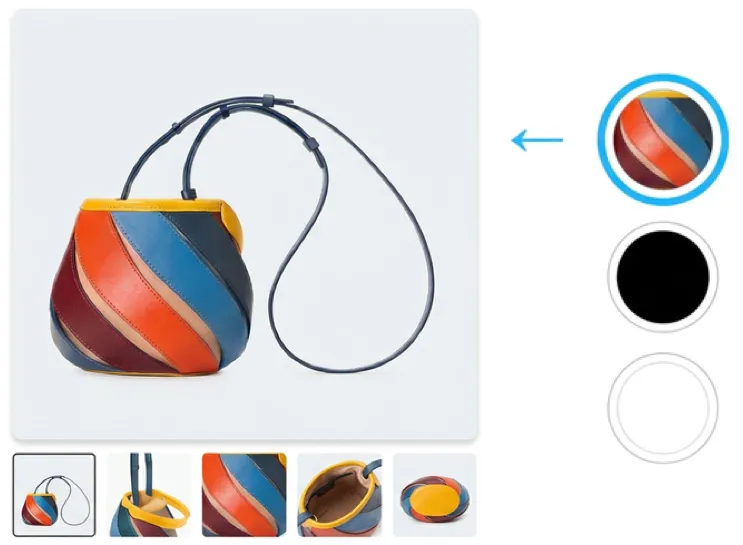
When a customer selects a color, size, or material, the gallery updates to show only the images tagged to that variant.
If your product has 30 images across 6 colors, the customer only sees the 5 photos for the color they picked - no more scrolling past irrelevant images to find what they’re looking for.
Video
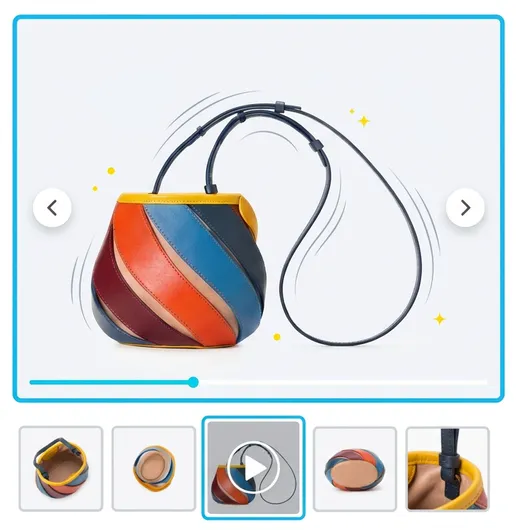
Embed product videos directly in the gallery alongside your images. Supports uploaded video files (MP4), YouTube, and Vimeo.
The video appears as a slide in the gallery - customers play it inline without being redirected to a separate player or section. Useful for showing the product in motion, demonstrating features, or adding unboxing content.
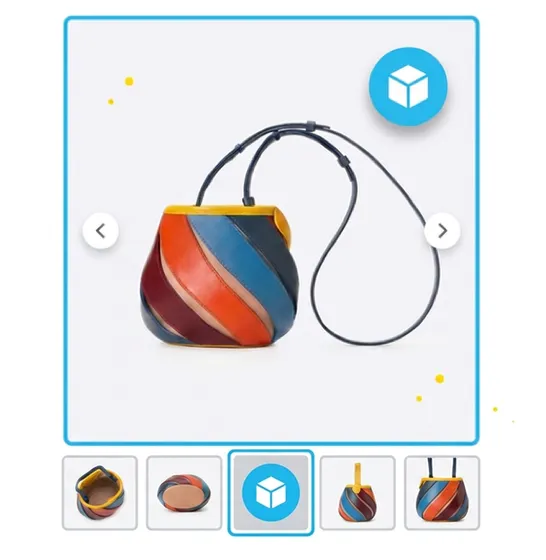
3D Models
If you use Shopify’s native 3D model support, the app displays them as slides inside the product gallery.
Customers can rotate, pan, and inspect the product in three dimensions - directly in the same gallery where they browse photos and videos. No separate viewer or page needed.
Get Started in Minutes
The app works with the media already attached to your products - images, videos, and 3D models. No re-uploading, no code edits, no theme file changes.
-
1. Install
Add the app from the Shopify App Store. One click to connect it to your store.
-
2. Automatic Setup
The app detects your product images, videos, and 3D models automatically.
-
3. Customize
Pick a layout, adjust colors, position thumbnails, and set navigation style.
Pricing Plans

What Merchants Are Saying
Perfect. We've wanted swipeable images on our mobile pages. This app does that and more. Insanely easy setup. Plenty of customization. Plus, it enables products videos. Great find. 10/10.
Excellent. It has all important elements needed for product image slider. Navigation, thumbnails, popup and navigation in pop-up window. Easy integration. Working great in mobile mode too.
Super useful, wallet friendly app and the only one supporting uploaded videos (not Vimeo or YouTube). So happy I have finally found an easy and good looking slider with such a friendly and speedy support.
The support is outstanding and are quick to answer as well as help with theme related issues. I truly cannot thank you enough as I would of had to code an entirely new liquid which I honestly do not enjoy doing.
* All reviews are verified and visible on the Shopify App Store.
Frequently Asked Questions
- Does this work with my Shopify theme?
- Yes. The app works with all Shopify themes including Dawn, Impulse, Prestige, Warehouse, Debut, and custom themes. It installs as an app embed, so it doesn't modify your theme files. If you run into any theme-specific issues, our support team will help you resolve them at no extra cost.
- Can I show different images for each variant?
- Yes. Tag your product images to specific variants in Shopify's product editor, and the gallery automatically filters to show only the images for the selected variant. This works with both horizontal and vertical thumbnail layouts.
- How do I add images and videos to the gallery?
- The app automatically uses the media attached to your products in the Shopify admin. Just add or reorder images and videos in the product editor and the gallery updates on your live store. For a step-by-step walkthrough, see our guide on adding product images and video.
- What video formats are supported?
- You can embed uploaded video files (MP4), YouTube videos, and Vimeo videos. Videos play inline as slides in the gallery alongside your product images - no separate section or pop-out player required.
- Is there a free plan?
- Yes. The free plan includes the core slider with arrows, dots, and swipe navigation. Paid plans unlock additional layouts, zoom and lightbox features, variant-specific image filtering, video embedding, and thumbnail customization.
- Will this slow down my store?
- No. The app uses lazy loading for gallery images and loads its own scripts asynchronously, so it never blocks your page from rendering. Images load progressively as customers interact with the gallery, keeping initial page load fast.
- Can I position thumbnails vertically or horizontally?
- Yes. This Shopify image slider with thumbnails can be configured either way. The horizontal layout places thumbnails below the main image, and the vertical layout places them on the left. You can switch between the two from the app dashboard and preview the change before publishing.
- Does the gallery support fullscreen mode?
- Yes. The lightbox feature opens images in a full-screen overlay where customers can zoom, pan, and navigate between images. This works on both desktop and mobile.
- What else can I do to improve my product pages?
- A good gallery is one piece of the puzzle. Other things that make a difference: keeping your Add to Cart button visible above the fold, using consistent product photography, organizing descriptions into tabs, and making sure variant images are properly assigned. We put together a guide on Shopify product page optimization that covers all of these.
- What image size should I upload for my products?
- The general rule is to keep all your product images at the same aspect ratio and upload them at the highest quality you have. Shopify's CDN and the app handle resizing and optimization automatically, so there's no page speed penalty for uploading high-resolution originals. For a full breakdown of specs, aspect ratios by store type, and how to fix images that display at different sizes, see our Shopify product image size guide.
- Can I have the same effect on collection and category pages?
- Yes. For collection pages, our Shopify Quick View feature lets customers preview products, pick variants, and add to cart directly from the collection grid without opening a separate page.